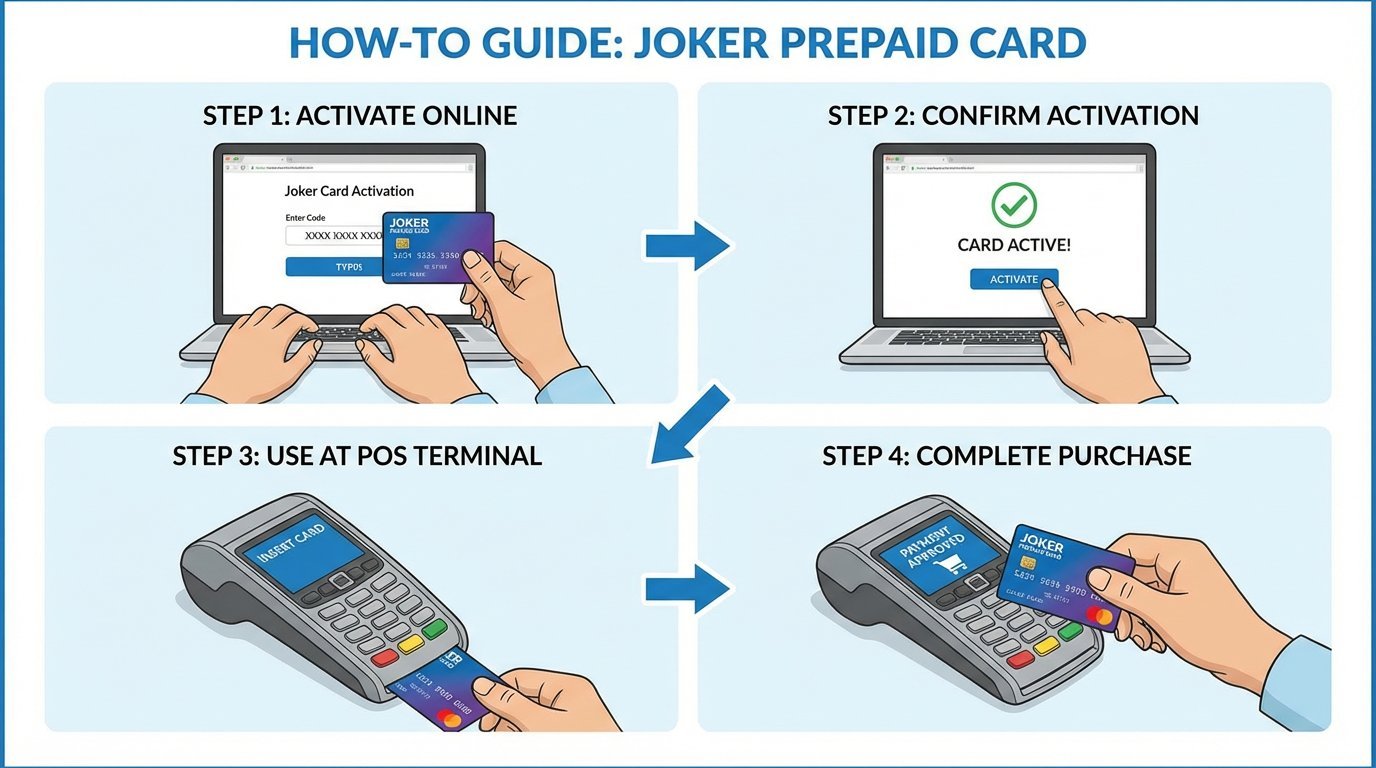
How to Use Your Joker Prepaid Card in Canada
So you have a Joker Prepaid Card—your ticket to flexible spending! Using it is simple, but following a few key steps will ensure a smooth experience, especially for online purchases. This guide will walk you through activating and using your card.
Step 1: Purchase and Activation
Before you can use your card, it needs to be purchased and activated.
- Purchase: You can buy Joker Prepaid Visa or Mastercard cards at over 11,000 retail locations across Canada, including Shoppers Drug Mart, Loblaws, and Canadian Tire.
- Activation: This is the most crucial step. For security reasons, you must register your card online before you can use it for any online, phone, or mail-order purchases.
- Go to the official activation website (like `jokercard.ca` or the URL listed on the back of your card).
- Enter your 16-digit card number, expiry date, and the 3-digit security code (CVV) from the back.
- You will be asked to provide your postal code and other personal details. This information is used for the Address Verification System (AVS) to protect against fraud during online transactions.
- Know Your Balance: Before you shop, check your balance online or by calling the toll-free number on the back of the card. This prevents declines at the checkout.
- Swipe or Insert: At the payment terminal, swipe the magnetic stripe or insert the chip just like any other card.
- Select "Credit": When prompted, choose the "Credit" option. You do not need a PIN.
- Sign for Your Purchase: You may be asked to sign a receipt to authorize the transaction.
- At the checkout page, select Visa or Mastercard as the payment type.
- Enter your 16-digit card number, expiry date, and the 3-digit CVV.
- For the name field, you can typically use your own name.
- For the billing address, enter the address and postal code you used when you registered the card online. This must match for the AVS check to be successful.
Step 2: In-Store Purchases
Using your Joker card at a physical store is as easy as using a regular credit or debit card.
What if the purchase is more than your card's balance? This is called a split payment. Tell the cashier the exact balance of your Joker card and ask to pay that amount first. Then, you can pay the remaining amount with another payment method (cash, debit, or another credit card).
Step 3: Online Purchases
Once your card is registered online, using it for e-commerce is straightforward.
Conclusion:
The Joker Prepaid Card is a powerful and flexible tool. By activating it online and always knowing your balance, you can unlock its full potential for both in-store and online shopping across Canada and worldwide. Happy spending!
_